
Upgrading an Older Synagogue Security System Without Replacing Everything
Most congregations can upgrade an older synagogue security system in stages. Here is how to tell which parts can stay and which need replacing.
Upgrading an older synagogue security system takes careful judgment, because the equipment was usually installed at different times by different companies. The alarm may date back to the building’s opening, while cameras and card readers came later as the preschool opened and programs expanded. Each addition was a sensible decision, made by people who cared about the building and everyone in it. The challenge today is that these pieces rarely work together, and few people in the building know exactly how each one is programmed.
Today, the question in front of many committees is whether the congregation can build on what it already has or needs to start over. The answer depends on whether each major component still has manufacturer support and can connect securely to newer equipment. The sections below explain what to check first when you upgrade your existing synagogue security system, and how to plan the work around congregational life.
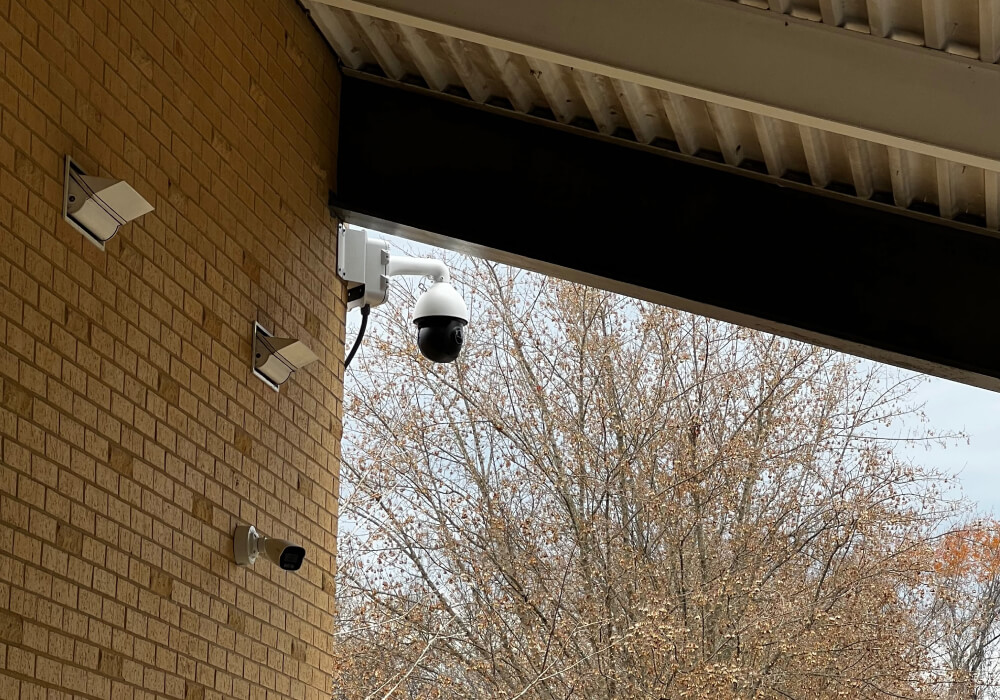
Why Are Congregations Hesitant to Upgrade an Older Security System?
Most security committees know their system is aging, but agreeing on what to do about it is harder, because the decision touches the budget, the donors, and a building that is rarely empty.
When a project keeps getting postponed, there is usually a specific reason behind it. Understanding that reason matters, because it shapes what to inspect first and how to divide the work so the board can approve it:
- A full replacement quote stalled the discussion: Someone priced a new system once, the number was far beyond the budget, and the topic never came back.
- The system still seems to work: The cameras show a picture and the alarm still turns on each night, so spending money on it feels hard to justify.
- The equipment was a gift: A family may have funded the cameras or the entry system in memory of someone, and removing it can feel like removing the dedication.
- Nobody fully understands the system anymore: The staff member or volunteer who looked after it has moved on, and the passwords may have gone with them.
- A past vendor left a bad experience: Some congregations were locked into a contract or lost contact with an installer, and they are wary of repeating it.
None of these concerns requires replacing everything. A phased upgrade keeps what still works, and where donated equipment has to go, the dedication can move to its replacement.
The bigger risk is usually not the age of the equipment. It is that nobody can say with confidence what the system is still doing.
Which Parts Can Stay, and Which Force the Upgrade?
Cable is often the most expensive part of an installation, because pulling it through finished walls takes the most labor, so reusing existing cable is often what makes a phased upgrade affordable.
A handful of components decide how large the project becomes. When the recorder or door controller is still supported, much of the system can stay, and when it is not, changes tend to spread to everything connected to it. These five usually set the scope:
| Component | Keep It When | Replace It When | Check First |
|---|---|---|---|
| Video recorder | It still gets firmware updates | Updates have stopped | Firmware and drive health |
| Cameras | The image fits the camera’s job | It cannot identify people at night | Night footage and view |
| Door locks and strikes | Power and emergency release work | Hardware sticks or fails to release | Exit and fire alarm release |
| Access control and readers | Current software supports them | They only read older proximity cards | Firmware and card format |
| Alarm panel and communicator | Carrier and monitoring center support it | It is dealer-locked or on a retired service | Ownership and signal path |
Other equipment rarely appears on a quote summary, yet it often explains why an older system behaves unpredictably. Test each of these before assuming it can stay, because a problem found now costs far less than one found after the upgrade:
- Existing cable: Cat5e and Cat6 can usually power new IP cameras when the cable tests well and the runs are not too long, and older coaxial cable can often support HD analog cameras.
- Switches and backup batteries: An undersized PoE switch or a worn battery in the panel or UPS can make the whole system unreliable, even when the cameras and panel are fine.
- Alarm sensors: Hardwired door contacts and motion detectors can often connect to a newer panel once a technician confirms the wiring and power, while wireless sensors often work only with one manufacturer’s panels.
Before any lock or strike stays in place, a technician should confirm on site that it still lets people leave freely and releases correctly when the fire alarm activates.
Why Do Older Cameras Record but Fail to Identify Anyone?
Often, the first sign that the cameras need attention is an ordinary moment. A car gets scraped in the parking lot during a bar or bat mitzvah weekend, and the office administrator pulls up the footage to help two families sort it out. Both cars are visible, but the plate is unreadable and the driver is a blur.
That does not always mean the cameras are bad. A camera that covers the whole lot is set up to show movement, and reading a plate usually takes a second camera aimed at the lot entrance.
Look at every camera in the building the same way, by asking what it is supposed to show. Before replacing one, find out which of these problems it has, because each calls for a different fix, and some need no new equipment:
- The view is too wide: Repositioning the camera or switching to a narrower lens can often produce usable faces.
- Poor images at night: Older cameras struggle in low light and with headlights shining into the lens, which is a strong reason to replace rather than move them.
- Faces too dark in front of a glass door: Bright daylight behind a visitor turns faces into silhouettes, and newer cameras handle that backlight far better.
- The resolution is too low: Some older analog cameras will never capture enough detail for identification, wherever they point.
Not Sure Which Parts of Your System Can Stay?
TXP Security can review the equipment you already have and show you what is worth keeping before the committee sets a budget.
Who Still Has Access to Your Building?
Over the years, a synagogue gives door access to far more people than it ever removes. Staff members leave, volunteers step back from roles, the caterer needs the kitchen door, and a past board president may still carry a card from an old building project. Few of those cards ever get turned off, often because nobody is sure whose job it is.
Older cards raise a second concern, because many early systems use unencrypted 125 kHz proximity cards that inexpensive equipment may be able to copy.
An upgrade does not have to replace every card on the same day. A careful review of who can open which doors, and when, often does as much good as new hardware. These are the points worth working through before choosing any new readers:
- A current cardholder list: Compare the names in the system against today’s staff, clergy, preschool team, and active volunteers, and turn off anyone who no longer needs access.
- Readers that accept old and new cards: Multi-technology readers let the congregation move to more secure cards gradually, so nobody is locked out on a Friday evening.
- Schedules by role: The preschool team and evening volunteers rarely need the same hours as the custodian, so each group’s access should match its own schedule.
Camera access needs the same attention, especially where different groups ended up with separate systems. Many existing IP cameras can move onto one video management platform if they support ONVIF, the common standard that lets different makers’ cameras and software work together. The platform then controls who sees what, so the front office views only the entrances while the volunteer security team sees the whole building.
An upgrade is also the right time to move cameras off the office or guest Wi-Fi and retire shared passwords, both of which we cover in business security camera cybersecurity.
If your congregation limits the use of electronics on Shabbat, work with your rabbi to set the door schedules and alarm settings ahead of time.
How Do You Plan an Upgrade Around Services, School, and Budget?
With worship, religious school, and preschool running through most of the week, good windows for installation work are harder to find than a calendar suggests. If local police or a community security organization has already assessed the building, bring that report to the first planning meeting, so its findings can guide where the work begins.
A good plan starts with the congregation’s calendar and works backward. Whoever does the work should understand these constraints before booking a single day, because each one limits when the system can safely go offline:
- Shabbat and weekend programming: Work affecting entrances or the alarm should finish well before Friday afternoon, with everything tested before services begin.
- The High Holidays: The weeks before the holidays are a poor time to change door hardware or hand out new cards, since staff have little time to learn a new system.
- Preschool drop-off and pickup: Contractors and propped doors should stay clear of those hours, and the preschool director should know who will be in the building each day.
- Funerals and short-notice events: A funeral can come together with only a day or two of notice, so any work area should be easy to close up quickly.
Few congregations can fund a full upgrade in one year, so the most important work comes first and later phases wait for the next budget cycle or a donor gift. The exact order should follow your assessment, but a common sequence looks like this:
- Phase one: Replace an unsupported recorder or communicator, recover the administrator passwords, and clean up the list of people with access.
- Phase two: Upgrade the cameras and card readers at the doors people use every day.
- Later phases: Extend coverage to parking areas and side doors, then bring the separate systems onto one platform.
Before signing off on any phase, ask the installer to show you recorded night footage from each new camera, because the live view alone does not prove the camera is recording, as we explain in why a security camera can show live video but not record.
When Does an Upgrade Become a Replacement?
At some point, keeping older equipment costs more than replacing it. An honest assessment should tell you when that point has arrived, even if it means a larger project than the committee hoped for. These signs usually point toward replacement:
- Almost nothing is still supported: Keeping a few newer pieces does not protect a system whose core has stopped receiving updates.
- Nothing newer can connect to it: Proprietary controllers and very old recorders often will not work with any current platform.
- Repairs keep coming back: A system that needs a service call every few months is spending money that could fund new equipment.
- Nobody knows how it was built: With no drawings and no record of the programming, rebuilding from a clean plan is often faster than tracing the old one.
Even a full replacement can reuse good cabling and door hardware and still follow a phased schedule. You can see how we approach these projects in our synagogue security work.
Find Out How Much of Your Synagogue Security System Can Stay
If your synagogue’s security system was installed in stages over the years, TXP Security can assess what is worth keeping and what is holding the rest back. We review your cameras, doors, alarm, and user access, then build a clear phased plan around your calendar and budget, so the board knows exactly what each stage will accomplish before approving it.
Frequently Asked Questions
Should we tell our alarm monitoring company before upgrade work starts?
Yes. The person listed on the account should ask the company to place it on test while technicians work, so a door opened for new hardware does not trigger a dispatch, and confirm normal service before the crew leaves.
What should the installer hand over when the upgrade is finished?
Ask for administrator logins in the congregation’s name, a list of every device and where it is mounted, the alarm zone list, and a simple network drawing.
Can volunteers view the security cameras on their own phones?
Most current platforms allow it through an app. Give each volunteer an individual account limited to their role, with multifactor authentication where available, and remove the account the same week they step back.
Is it worth upgrading if a renovation or move is a few years away?
In many cases it is, as long as the plan accounts for the move.