
How Can a Synagogue Secure Its Front Door and Still Feel Welcoming?
A synagogue can control who comes through its front door without making guests feel turned away. With the right plan, the entrance can do both.
You want your front door to feel welcoming to a longtime member and to a family walking in for the first time. It is also the entrance your security committee worries about most, because nearly everyone uses it, including people no one on staff has met.
Both goals are possible when you plan the entrance around how people actually use your building during the week. Good synagogue front door security depends on people as much as hardware, because staff and volunteers need to know who answers the door, who can let someone in, and what to do when they are unsure.
Why Is the Front Door the Hardest Entrance to Secure?
Most doors in your building have a simple job, like keeping a storage room locked or letting caterers into the kitchen. Your main entrance serves almost everyone, and its job changes several times a day.
What works on Shabbat morning may not work on a Tuesday afternoon, because different people are arriving and different staff are there to greet them. In a typical week, your entrance has to handle all of these visitors:
- Members and regular attendees: They expect to walk in easily, and many feel uncomfortable when a familiar entrance suddenly looks guarded.
- First-time visitors and guests: People attending a bar or bat mitzvah, a wedding, or a lecture may never have been inside, and they need clear direction rather than a locked door with no explanation.
- School families: If your congregation runs a preschool or religious school, parents arrive in a short window, often with young children, and need a reliable way in that does not open the building to everyone else.
- Vendors and deliveries: Caterers, contractors, and drivers arrive on their own schedules, often while staff are busy with something else.
- Mourners and short-notice guests: A funeral can bring many visitors with little warning, and the entrance plan has to adjust quickly.
Planning the Front Door Around Your Weekly Schedule
Your front door does not have to stay locked or unlocked all day. Most access control systems can lock and unlock it on a schedule, and the people managing the entrance can change with your calendar. A weekly plan might look something like this:
| Time | Door | Who Manages Entry | What Helps |
|---|---|---|---|
| Shabbat and holiday services | Unlocked on a schedule | Greeters and security staff | A familiar face at the door |
| Weekday office hours | Locked | Front office staff | Video intercom and remote release |
| School arrival and pickup | Controlled during arrival and pickup | Program staff | A staffed entrance or video intercom |
| Evening classes and events | Scheduled unlock with a volunteer | Program host or volunteer | A sign-in table near the door |
| After hours | Locked and alarmed | Authorized on-call staff | Alarm monitoring with clear response instructions |
The High Holidays need their own plan, because attendance is much higher and many guests come with tickets or are on a guest list. Some congregations ask first-time visitors to register before major services, which gives staff a name to expect without closing the service to newcomers. For members who do not use electronics on Shabbat, a scheduled unlock and someone at the entrance let them come in without a card or phone.
What Technology Helps Staff Decide Who Comes In?
On an ordinary weekday, the intercom may ring while the office administrator is already helping a parent on the phone, and if the screen is not easy to see from the desk, it becomes tempting to release the door without checking who is there. The technology at your entrance should help whoever is at the front desk see and speak with a visitor before deciding to open the door.
When we plan a synagogue entrance, we start by asking the office staff where they actually sit when the intercom rings, because the answer decides where the screen and release button belong.
You may not need all of these at once, and the right combination depends on your building layout and on who sits at the front desk during the week. These are the pieces worth considering:
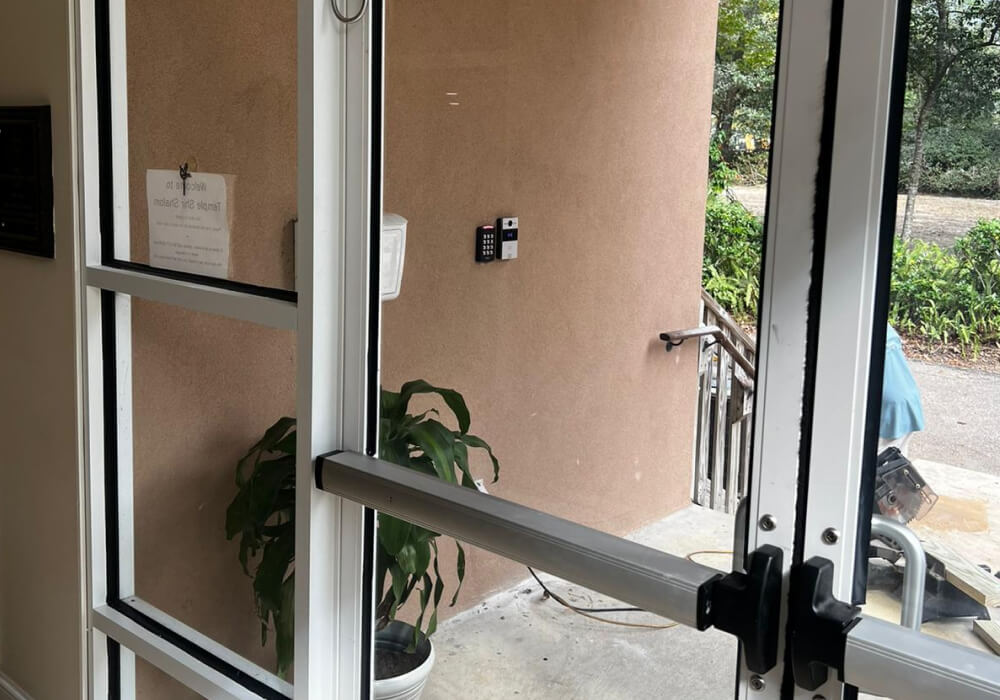
- Video intercom: A visitor presses a button, and the office sees and speaks with them before releasing the door. It works best when the camera gives a clear view of every visitor, including children and people using wheelchairs, and the screen sits at a desk where someone is always present.
- Remote door release: A release button or app lets staff unlock the door for a single entry, and systems with individual logins can also record who released it and when.
- Visitor sign-in: A sign-in process or temporary badge helps office and school staff keep track of weekday visitors, contractors, and scheduled appointments.
- Door position and held-open alerts: A sensor on the door tells staff when it has stayed open too long or has not latched properly, which is often the only way anyone notices a propped door.
Smaller congregations often have no one at a front desk for much of the day. In that case, the intercom can ring a staff member’s phone through an app, so whoever is on duty can see and speak with a visitor from anywhere in the building, and it helps to decide who answers when that person is unavailable.
The entrance also has to work for guests using wheelchairs or strollers. Where the door has an automatic opener, ask your installer to test the opener with the lock, so the door opens, closes, and latches properly when staff release it. Whatever hardware you choose, the call button must stay within easy reach and the door must always let people leave freely from the inside.
Planning a Front Entrance That Feels Welcoming?
TXP Security can review how people enter your building and recommend practical ways to make the entrance easier to manage.
Keeping a Locked Entrance Welcoming
A locked door mostly feels unfriendly when visitors do not know what to do next. A short, friendly sign beside the intercom explains the next step to a first-time guest, and good lighting helps both the camera and the visitor while they wait. Readers and cameras in finishes that match the entrance also draw far less attention than equipment added as an afterthought.
The person who answers the intercom sets the tone for the whole visit, so a quick and warm response matters. If your building has a secure vestibule, keep it well lit, clearly marked, and free of anything that blocks the doorway or the view from inside.
Security officers at the entrance deserve the same thought, because an armed officer at the door can make a newcomer hesitate. Greeters and officers work best with clearly different roles, where the greeter welcomes visitors and helps them find their way while the officer follows the congregation’s security plan, and both should agree on their positions before services begin.
The people at the door matter most of all, because a trained volunteer can welcome regulars by name and greet someone new without making assumptions, and knows how to reach security quietly if a visitor’s behavior raises concern.
What Habits Weaken a Well-Planned Front Door?
Everyday habits can undo even a well-planned entrance, and the cause is usually a shortcut that became routine, not a broken piece of equipment. Watch for these in a busy building, especially on days with deliveries, events, or a full school schedule:
- Doors propped for convenience: A caterer unloading or a volunteer carrying supplies props the door, and it stays open long after the task is done.
- Side doors left unlocked: The main entrance gets all the attention while a side or kitchen door stays unlocked, so it helps to look at which doors need access control across the whole building.
- Door closers that stop closing: A worn closer lets the door rest just short of latching, so it looks shut while anyone can pull it open.
- Visitors following someone inside: A visitor walks in behind a member who just opened the door. Members can help by pointing newcomers to the intercom in a friendly way, without confronting anyone.
- Borrowed cards: A staff member lends a card to a volunteer for the day, and the system records the wrong person entering, which makes the entry log unreliable when the committee needs it.
Who Should Be Responsible for the Front Door?
When responsibility for the entrance is unclear, each person tends to assume someone else is keeping an eye on it. A short written plan gives your staff, security officers, and volunteers the same answers to these questions:
- Who can release the door: Limit remote release to authorized people who can see or speak with the visitor, and give each of them an individual login where the system supports it.
- What to do when unsure: Staff should feel comfortable asking a visitor to wait while they check with a colleague, instead of releasing the door to avoid an awkward moment.
- Who can secure the entrance: Decide who can change the door schedule or lock the entrance from the outside, and how they will let everyone still in the building know.
- How volunteers and guards stay in touch: On service days, volunteers at the door should know how to reach security staff quietly whenever they need help.
A panic or duress button at the front desk can send a quiet call for help, as long as everyone has agreed on the response, call list, and regular testing before it goes into use.
The entrance also needs a backup plan for the day the intercom loses its connection or no one is free to answer, and that plan should never depend on propping the door open. Before major services and events, take a few minutes to confirm who is covering the entrance and who can release the door. Our synagogue security page explains how we plan entrances as part of the whole building.
Make Your Front Door Both Secure and Welcoming
Whether your entrance needs a better intercom, new door hardware, or a clearer plan for staff and volunteers, TXP Security can evaluate the full entry process at your building. We review the lock, camera, intercom, automatic opener, and release controls together, so the entrance stays secure, simple for your staff to manage, and comfortable for everyone who arrives there each week.
Frequently Asked Questions
Does a synagogue need a security vestibule at the front entrance?
A vestibule helps, but not every building needs one. It creates a small space between two doors, giving staff time to see and speak with a visitor before the inner door opens. If the building already has a second set of doors, a technician should review the hardware, accessibility, and emergency exit before those doors become a secure vestibule.
How should a synagogue handle deliveries without opening the front door?
A designated delivery point or a separate entrance with its own intercom keeps drivers from propping the main door open. Scheduling larger deliveries for times when staff can meet the driver also helps.
What should staff say when a visitor rings the intercom?
A warm greeting followed by a simple question about who the visitor is here to see is usually enough. If staff expect the visitor, they can release the door, and if not, they can ask the person to wait a moment while they check.
Should greeters ask unfamiliar visitors for identification?
Your board should set that policy with its security adviser, and the answer may differ for weekday appointments, school hours, and services. Whatever you decide, applying it the same way to everyone keeps the question from feeling personal.