
Benefits of Installing a Commercial Security System in Dallas TX
As a business owner in Dallas, you already have plenty competing for your attention. Operations, payroll, customers, inventory, the next quarter. Security tends to sit in the background until something goes wrong.
Do you have something in place if a break-in happens this weekend? Can you keep the wrong people out without making it harder for the right ones to get in?
A properly installed commercial security system does more than catch break-ins. It deters crime, lowers risk, and helps the property run more smoothly day to day. The right setup pulls together alarm system installation, commercial security cameras, and access control into one connected setup, so your team is not jumping between three platforms to track one event. TXP Security designs integrated business security systems for properties across Dallas and the surrounding metroplex.
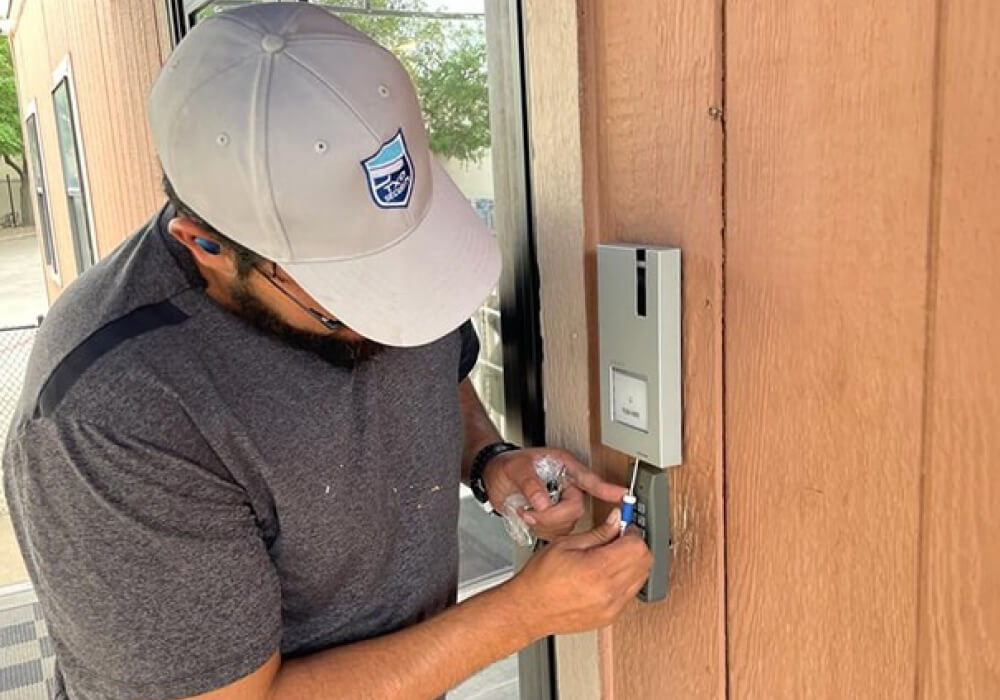
What a commercial security system actually includes
- Alarm systems and monitoring. Sensors at doors, windows, and key interior points detect break-ins, glass breaks, and motion in restricted areas. When something trips, the panel sends an instant alert to the monitoring station or directly to your phone.
- Commercial security cameras and live video surveillance. HD and 4K cameras give you live visibility from any device, capture clear footage you can use later, and pair with features like motion detection and license plate capture. Live video monitoring adds trained operators who verify events in real time.
- Access control systems. RFID locks, biometric readers, access cards, and keyless entry let you control which staff can open which doors, grant or revoke access remotely, and pull a log of who went in and when.
Alarm system installation and monitoring
A commercial alarm system is the foundation of the rest of the security setup. The panel sits at the center, communicating with sensors and detectors placed throughout your property. When something trips, the panel sends an instant alert, either to a central monitoring station or directly to your phone. A monitored alarm gets a response. An unmonitored one just makes noise.
A properly designed commercial alarm system should include:
- Door and window contact sensors. Placed at every entry that needs to be tracked, including back doors, side entries, and stockroom access. They trigger an alert the moment a protected door opens outside of business hours.
- Motion detectors and glass break sensors. Motion detectors cover interior zones like hallways, stockrooms, and offices after hours. Glass break sensors catch break-ins that skip the door entirely.
- Carbon monoxide detectors and panic buttons. Carbon monoxide detection protects employees in buildings with gas equipment. Panic buttons give staff a silent way to call for help in a high-risk situation.
- Cellular backup and battery support. Most new installations are wireless with cellular backup, so the system stays online when power or internet drops out. Older buildings sometimes still run on a landline, which is worth checking since landlines can be cut from outside.
Commercial security cameras and live video surveillance
A strategically placed security camera does two things at once. It prevents incidents before they happen, and it gives you a record when something does. Visible cameras at entries, parking lots, and back-of-house areas push opportunists somewhere else. Commercial cameras can give you live monitoring, recorded footage for later review, or both, depending on what your business needs. The footage they capture becomes the proof you need later, whether that is for an insurance claim, a workplace dispute, a customer complaint, or a police investigation.
A properly designed commercial camera system should include:
- HD or 4K resolution and proper storage retention. Resolution decides whether the footage holds up when you need to pull it. Most commercial systems retain footage for 30 to 90 days, depending on camera count and storage configuration.
- Mobile app and remote viewing. A reliable mobile app gives you live views and event clips from any device. Test the app before you commit. A slow or clunky interface will frustrate you every day.
- AI features that flag what matters. Motion detection, facial recognition, and license plate capture give the system the ability to flag problems, not just record them.
- Live video monitoring with verified dispatch. Trained operators watch the feed and verify events in real time. Cuts false alarms, gets police on scene faster, and keeps you out of municipal fine territory.
- Coverage of the spots that really matter. Entries, cash-handling areas, stockrooms, parking lots, and loading docks. Every property ends up needing a different mix. That is what the walk-through is for.
Access control systems
Access control decides who goes where. For a multi-location business, access control quietly does more work than most owners give it credit for. You can grant or revoke access remotely, change permissions in seconds, and stop worrying about who still has a key after someone leaves the company. Access control also protects against everyday issues that quietly cost businesses money, like theft from restricted areas, vendors wandering into spaces they should not be in, or former employees showing up after their access should have been pulled.
A properly designed access control system should include:
- RFID, biometric, or card-based credentials. Different ways to control which staff can open which doors. The right mix depends on the size of your team and how often credentials get issued or pulled.
- Real-time access logs. A log of who entered, when, and through which door. This gives your team something to work with when an incident comes up later, and makes audits and HR investigations easier to resolve.
- Remote permission management. The ability to grant or revoke access from any device. This matters most for multi-location businesses or any operation where keys get lost or shared too easily.
- Panic bars and emergency exit devices. People need a safe way out during an emergency without creating new security gaps. For schools, houses of worship, and any property with public foot traffic, most owners do not think about it until they need it.
Need a Commercial Security System for Your Dallas Business?
Why integration matters more than any single component
Here is what integration actually delivers:
- One dashboard for alarm, camera, and access events
- A door forced open pulls the matching camera clip instantly
- Motion alerts arrive with access log context attached
- Monitoring station sees both alarm and video together
- Faster police dispatch through verified video events
- Fewer false alarms and fewer fines from the city
Why Dallas businesses install commercial security systems
Warehouses, retailers, and hotels are especially vulnerable to security challenges that come from both inside and outside, including employee theft and shoplifting. Jewelry stores face organized theft attempts that hit fast and leave little time to react. Restaurants in Deep Ellum and Bishop Arts juggle public access with the need to keep certain areas restricted. Medical offices have HIPAA exposure on top of everything else. And construction sites scattered across DFW need eyes on materials and machinery long after the crew has clocked out.
A commercial security system built around the specific risks of your property does what extra staff cannot. It runs around the clock without getting distracted, gives you footage when something goes wrong, and gives your team the visibility to catch problems before they turn into losses.
Red flags when choosing a commercial security system or installer
A good installer will also check whether what you have already works with the new design, instead of pushing a full replacement when an upgrade would do. Pressure to sign a multi-year contract usually means the installer is locking in revenue instead of earning it. If they are vague about monitoring details, will not name the equipment brands going in, or do not list a Texas DPS license number on the website, keep looking.
A tip from our security experts
Before any equipment gets quoted, a proper installer will walk your property and identify the loopholes already in place. Doors propped open during deliveries. Cameras pointing at the wrong corner. Cash-handling zones with no coverage. Access permissions never cleaned up after someone left. Neighborhood matters too. A property in South Dallas faces different risks than one in Far North Dallas, and a good design takes that into account. That walk-through is where the real design happens. Everything after that gets built around what the audit found.
Get a Commercial Security System That Fits Your Business.
Access control systems
Access control decides who goes where. For a multi-location business, access control quietly does more work than most owners give it credit for. You can grant or revoke access remotely, change permissions in seconds, and stop worrying about who still has a key after someone leaves the company. Access control also protects against everyday issues that quietly cost businesses money, like theft from restricted areas, vendors wandering into spaces they should not be in, or former employees showing up after their access should have been pulled.
A properly designed access control system should include:
- RFID, biometric, or card-based credentials. Different ways to control which staff can open which doors. The right mix depends on the size of your team and how often credentials get issued or pulled.
- Real-time access logs. A log of who entered, when, and through which door. This gives your team something to work with when an incident comes up later, and makes audits and HR investigations easier to resolve.
- Remote permission management. The ability to grant or revoke access from any device. This matters most for multi-location businesses or any operation where keys get lost or shared too easily.
- Panic bars and emergency exit devices. People need a safe way out during an emergency without creating new security gaps. For schools, houses of worship, and any property with public foot traffic, most owners do not think about it until they need it.