
Does Every Door in a Commercial Building Need Access Control?
Not every commercial door needs access control. Prioritize doors based on security risk, traffic, monitoring, and what the area behind each door needs to protect.
If the budget does not cover access control on every door, where should you start? The entrance used by most employees, the stockroom with shared keys or the server room that is rarely monitored? And which doors can safely stay on keys for now?
Which of those doors needs access control first? Once you look at how the building is actually used, putting a reader on every door may not be necessary. Some doors protect important areas, some are harder to monitor, and some already create problems with shared keys or uncontrolled entry. Start by identifying those doors before deciding how many doors need access control.
Which Areas in Your Building Need the Most Protection?
Start with the doors protecting inventory, sensitive information or equipment the building depends on. Two doors may look the same from the hallway, but one leads to an ordinary corridor and the other protects inventory, personnel records or critical equipment.
For each door, ask what could happen if an unauthorized person entered and how quickly anyone would notice. Missing cash may be discovered that day, while copied records or unauthorized access to a server room may not be detected immediately.
These rooms often need access control because unauthorized entry could be costly or difficult to detect:
- Stockrooms: Small inventory losses may not appear until the next count.
- Records rooms: Someone can view, photograph or copy information without removing anything from the room.
- Cash offices: Cash, deposits and financial records may all be kept behind one interior door.
- Server and IT rooms: The risk includes both the equipment and the systems or information that can be reached from inside the room.
- Mechanical and utility rooms: These are often overlooked even though they contain equipment that keeps the building operating.
It is common to find two doors on the same hallway with the same lock and similar traffic, even though one protects ordinary supplies and the other protects personnel records. The doors look equal from the hallway, but the risk behind them is not the same.
Who Uses Each Door, and Is Anyone Watching It?
Next, look at how many people use each door and whether anyone regularly monitors it. A door used by forty people every day creates a different access problem from one used by two people each week, even when what sits behind them is similar. More users mean more credentials to issue, more schedule changes to manage and more chances for someone to follow an authorized employee inside without using a credential.
A retail store shows this clearly. The front door carries the most traffic in the building, but it may also have someone standing near it throughout the day. The back door carries less traffic and may have nobody watching it. The back door may deserve a reader first, even though the front entrance could still belong in the same installation for visitor control, after-hours access or scheduled locking.
The way a door is used also affects how its access control should be set up. A busy employee entrance may need access schedules and a door-held-open alert. A restricted room used only a few times a week may not need the same setup, but each entry may be more important to review.
Mark every door as high, medium or low priority based on what it protects. Then note how heavily it is used and whether anyone regularly monitors it. A door protecting inventory, records or critical equipment may remain a high priority even when only a few people use it. Give the highest priority to doors protecting important areas, especially where shared keys, uncontrolled entry or poor monitoring are already a problem.
In a shared building, pay attention to the doors between your space and the parts of the property you do not control. In those areas, people may have building access even though they are not authorized to enter your business.
Doors That Are Often Overlooked When Adding Access Control
When planning access control, managers often start with the front entrance, stockroom and main office. Side and rear entrances are easier to overlook because many were installed for one purpose and are now used for another.
One door businesses often overlook is the employee entrance near the parking lot. It may have started as a secondary exit or break-area door and remained on a mechanical key. Over the years, it became the entrance employees use before opening and after closing, while the front entrance stayed controlled and watched.
The same thing happens at a loading dock. The overhead doors get the attention because that is where the trucks are, while the personnel door beside them may remain unlocked through the shift. Employees prop it open rather than present a credential each time they come back inside. Nobody may be watching that door, and it is often one of the last doors to get a reader.
Most buildings have two or three doors like these. Walk to them instead of trying to remember every door while sitting in an office:
- Rear and side doors originally used for deliveries or breaks that now serve as regular employee entrances
- Personnel doors beside overhead dock doors
- Roof and ladder access points that may lead to restricted roof or building areas
- Doors between public and staff-only areas
- Stairwell doors in multi-tenant buildings, subject to applicable egress and reentry requirements
Which Doors Can Have Access Control Installed Together?
Once you know which doors need access control, decide which ones can be installed at the same time. The cost depends on the existing door hardware and the work required to run cable to each door. Nearby doors that can use the same practical cable route may require less work than doors at opposite ends of the building. That is why the installation plan may change after a technician walks the property.
A technician checks four things when deciding which doors can be installed together:
- Cable route: A door near a route already being installed may require less additional pathway work.
- Ceiling access: Reaching a door above a finished ceiling on the far side of the building can add substantial labor and pathway work.
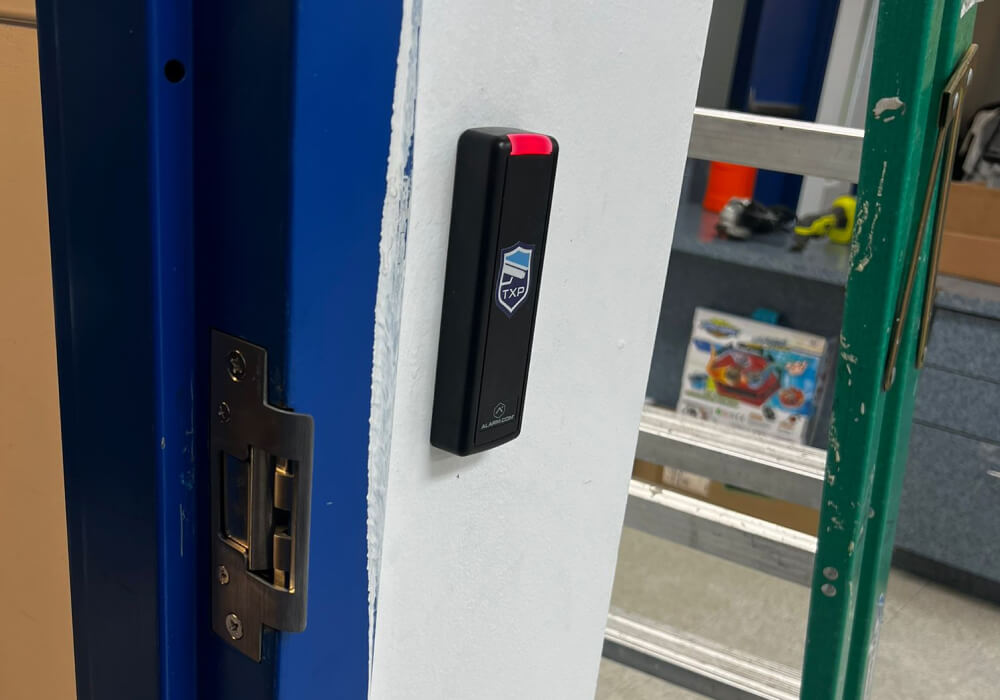
- Existing hardware: A door that can retain compatible hardware may be simpler than one requiring a new electric strike, electrified lock or door modification.
- Panel capacity: Controllers and interface modules support a defined number of doors, so the initial installation should account for doors likely to be added later.
Many businesses do not consider panel capacity until the existing controller is already full. Adding more doors may then require another controller, enclosure or power supply, which increases the cost of expanding the system. The initial installation should account for doors the business already expects to add later.
A TXP Security technician checks the existing hardware, cable routes and controller capacity before deciding which doors can be included in the same installation.
Where the system uses networked controllers or readers, the technician also checks whether the existing commercial network cabling can support the planned installation.
Exterior doors, fire-rated doors and required exits must retain their required egress and life-safety functions after access control is added. A door should not be included simply because it is easy to reach with cable. The risk it carries still comes first.
A front entrance may look like the obvious first door, and it often belongs in the initial installation. But if it is staffed all day, a rear employee entrance, stockroom and server room may carry more risk. If those doors fit the approved budget and available controller capacity, controlling them may reduce more risk than controlling the front entrance alone.
You do not need a finished system design to make the first list. Walk through the building and write down what each door protects, who uses it, when it is used and whether anyone regularly monitors it. A technician can then inspect the existing hardware, cable routes and controller capacity to determine which doors can be completed during the initial installation.
Need Help Deciding Which Doors Need Access Control?
A site walkthrough shows which doors need access control and what the installation will require. If you are planning an access control installation, TXP Security can inspect the doors, existing hardware, cable routes and controller capacity before preparing a proposal. Call 866-322-9555 to arrange a walkthrough.
Frequently Asked Questions
Should the front entrance always be the first controlled door?
No, although it often belongs in the initial installation. Whether it goes first depends on who is near it during business hours, what happens after it closes, how visitors are handled and whether employees regularly use another entrance. A rear or side door with nobody watching it may carry more risk even when the front entrance receives far more traffic.
Does controlling more doors make the system harder to run?
It can, but permissions assigned by role rather than by individual door keep the system manageable. Access is assigned to a job or group instead of being configured separately for every person at every door. Schedules, temporary access, exceptions and employee job changes still need to be planned. Those rules are easier to establish before more doors are added.
How do you decide how many doors to include in the initial installation?
Start with the highest-priority doors the approved budget and available system capacity can support. Cable routes and controller capacity may make some doors practical to install together, but cost alone should not put a low-risk door ahead of one protecting inventory, records or critical equipment.
What if a door needs access control but cannot be included yet?
Keep it on the list and record why it has to wait. If work is already being completed nearby, ask whether the cable pathway or controller capacity can be prepared for that door at the same time. Doing so may reduce disruption and cost when the door is added later.