
Commercial Access Control: What Business Owners Need to Know Before Choosing a System
Commercial access control is an electronic system that decides who can enter which doors, at which times, using a credential managed for each person. It replaces mechanical keys with cards, fobs, mobile credentials, or PIN codes that you issue, change, or turn off from one place. When an employee leaves, you remove their access in seconds, with no need to rekey the building.
Choosing access control for a business is harder than choosing a lock. The result depends on a few decisions worth settling early. They include which doors need control, which credential suits your staff, where the system keeps its records and makes its decisions, and who owns and manages it once it is installed.
Where keys fall short
The difference is clearest when an employee leaves. Instead of hoping every copy came back, you remove that person in the software and the door stops accepting their credential. Access control does not solve everything on its own. It will not stop someone from following an authorized person through an open door, which is why door design and cameras still matter, but it closes the biggest gap that keys leave open.
Which doors to control first
- Main entrances: used by everyone, every day, and your first point of control
- Server rooms, records, and stock rooms: rarely entered, costly if the wrong person gets in
- Rear and dock doors: often propped and rarely watched
- Shared or tenant doors: where your space meets another business
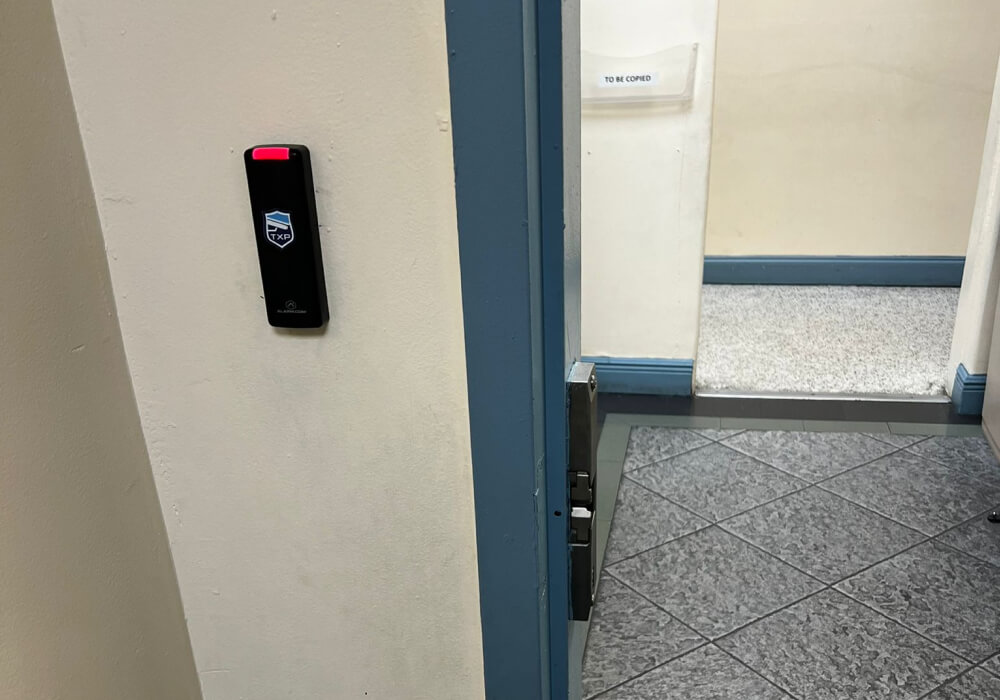
The reader on the wall is rarely the only thing that matters at a door. On older Dallas and Fort Worth properties, TXP Security often finds a door that sags in its frame, a closer that no longer latches, or old wiring that cannot be reused, and any one of those will undermine good hardware. We inspect the complete doorway, the door, frame, closer, existing hardware, and cable path, before recommending equipment.
You do not need to control every door at once. Many businesses begin with the main entrances and one or two sensitive rooms, then grow from there. Before buying, confirm the same controllers and software can add doors and locations later, so expanding does not mean replacing what you installed.
Credential types
- Key cards and fobs: low cost and familiar, and easy to hand out in volume. They are also easy to lose, share, or leave at home.
- Mobile credentials: the phone becomes the key. You issue or remove one remotely, and it is harder to lend casually than a card. The trade-off is that it needs a compatible phone and app enrollment, may carry a per-user fee, and leaves you exposed when a phone dies or gets replaced.
- PIN codes: nothing to carry or lose. A shared code, though, is hard to take back, and it rarely gets changed on time.
An expert tip on shared cards and codes
Where the system lives, and who owns it
- Cloud access control: you manage doors and users from a browser or phone, and the provider handles software updates. Several locations can sit under one login. You pay a monthly fee and rely on your internet, though depending on the setup a local controller may keep deciding at the door during an outage.
- On-site: the controller, the unit that makes the lock-or-unlock decision, stays in your building. That can avoid a recurring cloud-platform fee, but software, support, and licensing still vary.
- Hybrid: the doors decide locally while your records and settings live in the cloud. It keeps working if the internet drops, with some cloud dependence for management.
For many single-location businesses, cloud access control is simpler because there is no local server to maintain. The better fit still depends on how reliable your internet is, whether you have internal IT support, your security requirements, and the ongoing fees you are willing to carry.
A cloud system is also a login and a device on your network, which is easy to forget. Remote access is useful, and it makes account security matter, so ask who holds administrator rights, whether logins require strong authentication, and whether the connection is encrypted and the software kept current.
One question owners forget to ask is who owns the system after it is installed. Confirm that you receive the top-level administrator account, that the configuration and activity data belong to you, that you can export that data, and that another qualified company could service the system later. If the answer ties you permanently to one installer, treat that as a cost.
Outages, egress, and life safety
- If the power fails: what a door does depends on its lock type, its exit hardware, and the approved design. Batteries may keep parts of the system running for a while, and exit routes must still let people leave under code.
- If the internet fails: in a setup built to decide locally, valid credentials keep working and events are stored until the connection returns, but confirm this for the specific product, since it is not true of every system.
- In a fire alarm: some doors may need to release automatically, and how that is wired is set by your local fire authority, not by preference.
Running the system day to day
- Offboarding: removing a person’s access on their last day, every time, so no credential outlives the person
- Temporary access: giving a contractor or vendor entry to one area for a set window, then letting it expire on its own
- Activity logs: a dated history of who opened which door, useful after an incident, with a decision made in advance on how long you keep it and who may view it
There is also everyone who does not carry a credential. Visitors, clients, and deliveries still need a way in. Most systems handle this with a front-desk unlock button, or an intercom that lets a named person open the door remotely, so no one props an entrance or leaves it unlocked for the afternoon.
Two capabilities are worth asking for by name. The first is an approved remote-unlock or lockdown function, where it fits your building, so authorized staff can respond quickly without interfering with how people exit. The second is an alert when a door is forced or left held open, which otherwise can go unnoticed.
Working with your cameras and alarms
Access control does more once it is connected to your cameras and alarm. On its own it decides who opens a door. Linked to video and intrusion detection, it can also show you what happened at that door and who was there:
- A door forced or held open: the alarm can trigger and the nearest camera can mark that moment, so no one scrolls through hours of footage to find it
- An after-hours unlock: an unexpected entry can flag itself and pull the matching video, so a manager sees who it was next to the door event
- Fewer places to look: compatible platforms may let staff review door, video, and alarm events in one interface, or at least link the events so they are easier to investigate
Questions to ask a provider
- Doors and hardware: will this work with our current doors and locks, or does every opening need new hardware
- Ownership and data: do we receive the top-level admin account, do the records belong to us, and can we export them if we change companies
- Outage and fire behavior: what happens at each controlled door during a power loss, and which doors, if any, change state when the fire alarm activates
- Support and response: who fixes a failed door and how fast, whether the system alerts us to held-open or forced doors, and who receives an alarm and what they do next
- Growth: how do we add a door or a new location later without replacing what we bought
Talk to a Dallas access control team that starts with your doors
If you are considering access control for a Dallas or Fort Worth business, TXP Security can walk the property and rank the doors that need control first. We inspect each doorway before recommending hardware, which helps you reuse what is still sound and avoid replacing more than you need. Call us to set up a site visit and a plan with no pressure.