License #B10503801

Commercial Security Camera Installation · San Marcos, TX

Commercial Security Camera Installation in San Marcos, TX

For San Marcos businesses, TXP Security installs camera coverage that brings clear video, reliable recording, AI analytics, and live monitoring into one system your team can use.
  • Cameras for entrances, interiors, parking, and shared areas
  • One view across single or multiple locations
  • On-site, cloud, or hybrid video recording
  • Live video monitoring without a long-term contract
Get a camera quote
No obligation. A San Marcos technician will follow up with you.

By submitting, you agree to be contacted by TXP Security.
For San Marcos businesses

Commercial Security Cameras in San Marcos, TX

TXP Security provides commercial security camera installation in San Marcos and the nearby communities. We bring the cameras, the recording, and the day-to-day viewing together into one system your team can use, all completed under Texas DPS License #B10503801. The cameras can also integrate with your access control and alarms, so the property is handled from one place.
What we install
  • Commercial cameras and video surveillance
  • Cloud, local, and hybrid video recording
  • AI video analytics and live video monitoring
Where it fits
  • Retail, offices, and professional services
  • Student housing and multifamily properties
  • Restaurants, hotels, warehouses, and self-storage
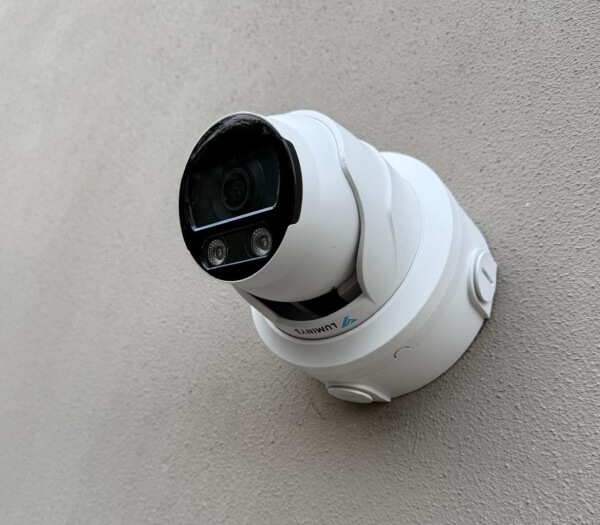
Commercial security camera installed on a San Marcos wall
Our Commercial Services

Commercial Security Camera Services Across San Marcos

TXP Security is the local team behind the system, not only the crew that installs it. We design the layout, run the cabling, set up the cameras and recording, and answer the service calls afterward. The same team brings in alarms, access control, or live video monitoring for the properties that want them.
San Marcos, Kyle, Buda, Wimberley, Martindale, Maxwell
Staples, Uhland, Niederwald, Mountain City, Dripping Springs, New Braunfels
Mon to Fri 8am to 6pm office · 24/7 monitoring and dispatch when live video monitoring is active
Where each camera goes

Commercial Camera Types We Install in San Marcos

Different parts of a building need different cameras. We pick each one for where it sits, how far it must reach, and the light around it. Then we set the height and angle for the detail the business needs to see. In areas without enough light for color video, we use infrared, and where enough light is available, color night vision may be used instead.

Dome

A lobby, clinic waiting room, or store floor, covered from the ceiling without drawing the eye.

Turret

Close, low-glare detail at a checkout, a reception desk, or an entry door.

Bullet

Longer reach along a warehouse yard off I-35, a parking row, or a fence line.

PTZ

Pans and zooms to cover a wide lot from one mount, following movement where the model supports it.

License Plate

Reads plates on a single controlled lane, paired with a camera on the vehicle and driver.

Multisensor

Several lenses in one unit for a wide student-housing courtyard or an open sales floor.
Every location on one system

Video Surveillance Systems in San Marcos, TX

Running several properties should not mean a separate camera login at every address. We bring compatible locations under one account, label each camera to the area it covers, and set viewing access for the people responsible for each site. As locations are added, the live and recorded video stays organized in the same place.
What the system gives you:
  • Live and recorded footage from every location
  • Camera names matched to the spaces they cover
  • Footage found by location, camera, date, or time
  • Viewing access set by person and property
  • More locations added to the same platform
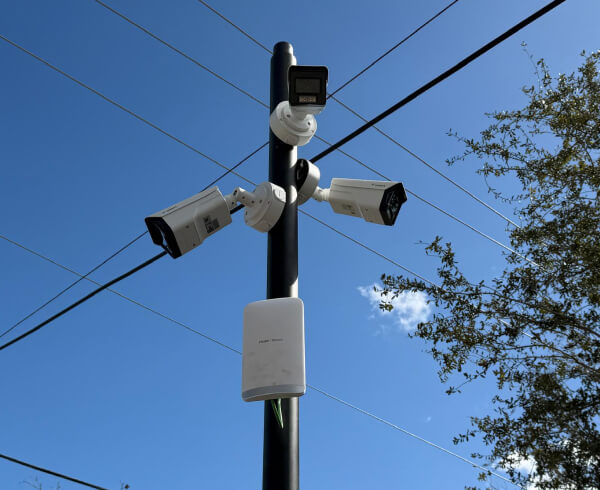
Video surveillance cameras on a pole in San Marcos
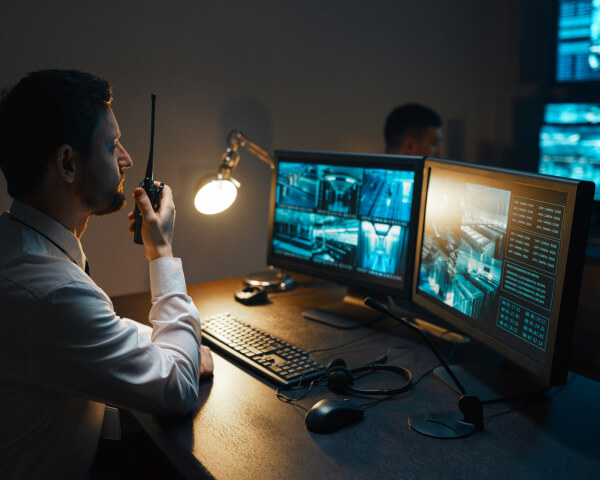
 Operator watching live video monitoring feeds on control room screens
Watched live, in real time

Live Video Monitoring in San Marcos

Live video monitoring in San Marcos, also called remote video monitoring, puts a live watch on your cameras during the hours you set. A trained operator responds to what the analytics flag, following the response plan you set for the property. The response can be a spoken warning through an on-site speaker, contact with your keyholder, or the police, depending on what the camera shows.
How the watch works:
  • Live coverage for the hours a property is closed or unstaffed
  • Each response follows a plan you approve in advance
  • Spoken warnings through an on-site speaker, where installed
  • Runs on your cameras, where they work with the platform
Already have cameras?

Camera System Takeover and Upgrades in San Marcos

Not every job means replacing everything already installed. When a property has cameras in place, we walk the system and keep the units and cabling that still deliver a usable view. We replace only the ones that have failed or leave a gap. Where the equipment is compatible, we bring those cameras onto the new platform so the recording and any monitoring run together.

Assess

We check each camera, cable run, and recorder on the walk and tell you what is worth keeping.

Keep

Cameras and cabling that still hold a clear view stay in service, IP or older analog.

Replace

The cameras that have failed or fall short are replaced, and coverage is added where the property has gaps.

Add

Where they are compatible, older cameras join the new platform and record alongside the new ones.

Alerts that mean something

AI Video Analytics for People and Vehicles in San Marcos

The job of analytics is to cut the noise. We set the cameras to tell people and vehicles apart and to watch only the zones and hours that matter. A manager is not paged for a branch moving in the wind or a car passing after close. What comes through is activity someone actually needs to see.
  • People separated from vehicles on supported systems
  • Detection zones set around the doors, lots, gates, or equipment that matter
  • Alerting tuned to open hours and to after-hours quiet
  • Notifications sent to whoever answers for the property
Where footage is kept

Secure Recording Across Single and Multi-Site Properties

How many days of footage you keep, and who can reach it, is set around the business. Video can be written to an NVR at the building, to a secured cloud account, or to both, and viewing and export are limited to approved staff.

On-site recording

An NVR at the building holds the recording, so it plays back over the local network even if the internet is down.

  • How many days you keep depends on the drives
  • The recorder sits in a locked room or cabinet

Cloud Recording

Footage is held in a protected cloud account and opened through the same app used to view the cameras.

  • Nothing lost if the on-site recorder is taken
  • Reached from a browser or a phone

Hybrid Recording

The building keeps the main recording while chosen cameras also send a copy to the cloud.

  • A local copy with an off-site backup
  • You choose how far back the cloud keeps
  • Camera access kept away from point-of-sale and office systems
  • User permissions set for each person and property
  • Remote viewing secured for approved users
  • New locations added without opening the full business network
Locked-down cameras

Camera Cybersecurity and Network Protection

Each camera and recorder is a device on your network, so we secure the system at install and again whenever a location is added. Camera access is kept apart from the systems that run the business, and remote viewing is limited to the owners, managers, and employees you approve.
Who we install for

Businesses and Properties We Cover in San Marcos

We install for the range of businesses that fill San Marcos, and the plan changes with the building. A clinic, an outlet store, and a distribution site each watch very different things. We start from how the place runs and put the cameras where the exposure is.
  • Retail and outlet centers
  • Offices and professional services
  • Medical and dental clinics
  • Restaurants and hospitality
  • Warehouses and distribution
  • Auto dealerships and service
  • Schools and campuses
  • Places of worship
  • Student housing and multifamily
  • Property management
  • Self-storage
  • HOAs and gated communities
Talk to a technician

Plan a Commercial Security Camera Installation in San Marcos

Walk us through what needs covering at your San Marcos property. A technician visits the site, reviews any cameras already in place, and plans where the new equipment should go. You receive a written scope after the visit, with no obligation and no long-term contract.

Common Questions from San Marcos Businesses

Does TXP Security watch the cameras after hours?

Yes, that is live video monitoring. You pick the hours it runs and the response the operator follows, and TXP Security sets it up on cameras that work with the platform.

Can you use the cameras we already have in San Marcos?

Often, yes. The deciding factors are the brand, age, and firmware of each camera, and whether the new platform will run it. On the walk we mark which cameras stay, which are replaced, and where coverage still needs to be added.

How long is recorded video kept?

It depends on the storage and retention plan chosen for the system. TXP Security sets the recording period around how far back the San Marcos business needs to retrieve footage and where it is stored.

Can I see several San Marcos locations through one account?

Usually. If the sites run compatible cameras, they can sit under one account. An authorized manager checks live views and pulls recordings from any site, with no separate system at each address.

$1 per subscriber goes to Wounded Warrior Project every month.